
Understanding TGP: A Complete Guide for Laptop Buyers

If you’re shopping for a gaming laptop, you’ve probably noticed something confusing: two laptops with the exact same GPU can have wildly different performance. One laptop with an RTX 4060 crushes games at high settings, while another with the same GPU struggles at medium settings. What gives?
The answer is TGP, and it’s one of the most important specs that laptop manufacturers don’t want to talk about. Let me explain what it is, why it matters, and how to avoid getting ripped off when buying a gaming laptop.
What TGP Actually Means
TGP stands for Total Graphics Power. It’s the maximum amount of power (measured in watts) that a laptop’s GPU is allowed to consume.
Think of it like this: your GPU is an engine, and TGP is how much fuel it’s allowed to use. Give it more fuel (higher TGP), and it can run faster. Restrict the fuel (lower TGP), and it has to slow down to stay within limits.
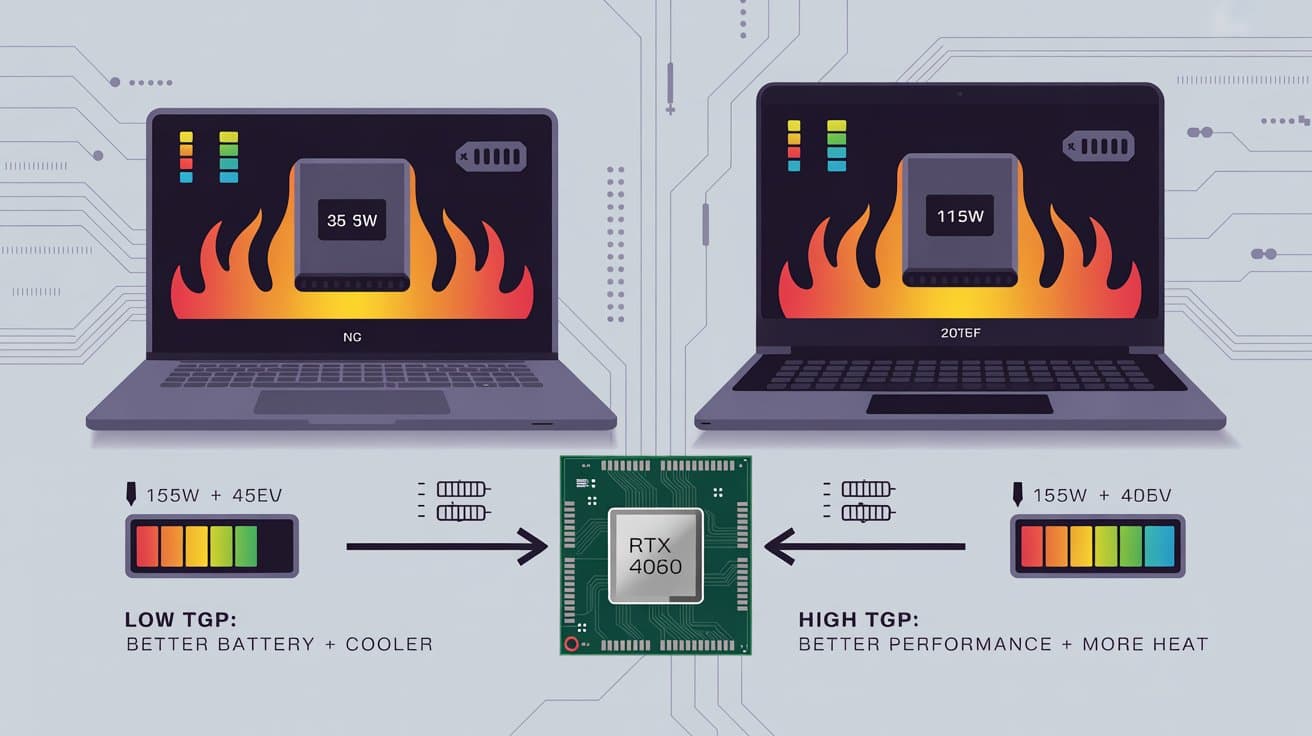
Here’s the thing that laptop manufacturers don’t advertise: the same GPU can have drastically different TGP ratings depending on the laptop. An RTX 4060 might run at 35W in one laptop and 115W in another. That’s more than a 3x difference in power consumption, and it translates to massive performance differences.
Why This Matters More Than You Think
Let’s say you’re comparing two laptops, both with an RTX 4060. You watch some YouTube reviews of the RTX 4060, see it getting great frame rates, and decide to buy one of these laptops.
But here’s the problem: those reviews are probably testing the GPU at its maximum TGP. If you buy a laptop where the RTX 4060 is running at 60W instead of 115W, you’re going to get significantly worse performance than what you saw in reviews.
How much worse? We’re talking 30-40% lower frame rates in many cases. That’s the difference between playing a game at 70 FPS on high settings versus 45 FPS on medium settings. That’s huge.
And here’s the really frustrating part: laptop manufacturers often don’t advertise the TGP. They’ll plaster “RTX 4060” all over the marketing materials, but they won’t tell you it’s running at a gimped 60W configuration.
The TGP Range: What’s Normal?
Different GPUs have different TGP ranges. Here’s what you typically see:
Entry-level GPUs (RTX 4050, RTX 3050): Usually 35W to 75W
Mid-range GPUs (RTX 4060, RTX 4070): Usually 60W to 140W
High-end GPUs (RTX 4080, RTX 4090): Usually 100W to 175W
Within each GPU model, you’ll see a wide range. For example, an RTX 4060 can be configured anywhere from 35W to 115W. That’s a massive range, and it means two laptops with the “same” GPU can perform completely differently.
Generally, TGP configurations fall into three categories:
Low TGP (bottom 25% of the range): The GPU is significantly power-limited. Performance will be noticeably worse than reviews suggest. These are usually found in thin-and-light gaming laptops that prioritize portability over performance.
Medium TGP (middle 50% of the range): Balanced configuration. You’re getting decent performance without excessive heat or power consumption. This is the sweet spot for most people.
High TGP (top 25% of the range): Maximum performance. The GPU is running close to its full potential. These are found in thick, heavy gaming laptops with robust cooling systems.
How TGP Affects Performance
Let me give you some real-world examples to illustrate how much TGP matters.
RTX 4060 Example:
– At 35W: Might get 45 FPS in Cyberpunk 2077 at 1080p medium settings
– At 80W: Might get 60 FPS in Cyberpunk 2077 at 1080p high settings
– At 115W: Might get 75 FPS in Cyberpunk 2077 at 1080p ultra settings
That’s a 67% performance difference between the lowest and highest TGP configurations of the same GPU. The 115W version is performing like a completely different graphics card.
RTX 4070 Example:
– At 60W: Performs similar to a high-TGP RTX 4060
– At 100W: Performs as expected for an RTX 4070
– At 140W: Performs close to a low-TGP RTX 4080
This is why TGP matters so much. A low-TGP high-end GPU can actually perform worse than a high-TGP mid-range GPU. You might pay extra for an RTX 4070, but if it’s running at 60W, you’re essentially getting RTX 4060 performance at RTX 4070 prices.
Why Manufacturers Use Low TGP
You might be wondering: if higher TGP means better performance, why don’t all laptops just use maximum TGP?
The answer is physics and design constraints.
Heat: Higher TGP means more heat. A GPU running at 115W generates significantly more heat than one running at 60W. That heat has to go somewhere, which means you need bigger heatsinks, more fans, and better airflow.
Size and weight: To cool a high-TGP GPU, you need a larger cooling system. That means a thicker, heavier laptop. If you want a thin-and-light gaming laptop, you have to accept lower TGP.
Battery life: Higher TGP drains the battery faster. A laptop with a 115W GPU might only last 1-2 hours on battery while gaming, compared to 3-4 hours with a 60W GPU.
Cost: Better cooling systems cost more to design and manufacture. Laptop makers can save money by using lower TGP configurations with simpler cooling.
Noise: Higher TGP means fans have to work harder, which means more noise. Some manufacturers prioritize quiet operation over maximum performance.
So there are legitimate reasons for using lower TGP. The problem is when manufacturers don’t disclose the TGP and let buyers assume they’re getting full performance.
The Dark Side of Low TGP
Here’s where things get shady: some laptop manufacturers deliberately use low-TGP configurations of high-end GPUs to create the illusion of a premium product.
They’ll advertise “RTX 4070 Gaming Laptop!” in big letters, knowing that most buyers will see “RTX 4070” and assume they’re getting RTX 4070 performance. But if that GPU is running at 60W, it’s actually performing closer to an RTX 4060.
This is especially common in thin gaming laptops. They want to offer “powerful” GPUs in slim form factors, but physics doesn’t allow for that. So they compromise on TGP, and the buyer ends up with a laptop that looks premium but performs like a mid-range machine.
The worst part? These laptops often cost more than thicker laptops with better-performing GPUs, because buyers are paying for the thin design and the high-end GPU name, even though the actual performance doesn’t match.
How to Find TGP Information
Unfortunately, finding TGP information isn’t always easy. Many manufacturers don’t list it in their specs.
Here’s how to find it:
Check detailed reviews: Tech reviewers usually test TGP and include it in their reviews. Sites like NotebookCheck, LaptopMag, and Tom’s Hardware are good sources.
Look at the power adapter: The wattage of the power adapter gives you a clue. A laptop with a 180W adapter probably has a higher TGP GPU than one with a 120W adapter.
Check manufacturer specs carefully: Some manufacturers list TGP in the detailed specifications, though they might call it “Max Graphics Power” or “GPU TGP.”
Ask customer support: If you can’t find the information, contact the manufacturer’s customer support and ask directly.
Check Reddit and forums: Gaming laptop communities often compile TGP information for popular models.
Use GPU-Z: If you already have the laptop, you can use GPU-Z software to check the actual power limit.
The Sweet Spot: What TGP Should You Target?
For most people, the sweet spot is in the 70-90W range for mid-range GPUs (RTX 4060, RTX 4070) and 100-130W for high-end GPUs (RTX 4080, RTX 4090).
This range gives you:
– 85-95% of maximum GPU performance
– Reasonable thermals (laptop won’t get uncomfortably hot)
– Acceptable fan noise (audible but not jet-engine loud)
– Decent battery life (3-4 hours for light tasks, 1-2 hours for gaming)
– Manageable size and weight (not ultra-portable, but not a brick either)
Going below this range means you’re sacrificing too much performance. Going above it means you’re dealing with excessive heat, noise, and weight for relatively small performance gains.
When Higher TGP Makes Sense
There are situations where you should prioritize high TGP:
Competitive gaming: If you’re playing esports titles and need maximum frame rates, high TGP is worth the trade-offs.
Content creation: Video editing, 3D rendering, and other GPU-intensive work benefits from sustained high performance.
Desktop replacement: If you’re using the laptop as a desktop replacement and it rarely leaves your desk, the downsides of high TGP (weight, noise, heat) matter less.
Future-proofing: Games get more demanding over time. A high-TGP GPU will stay relevant longer than a low-TGP configuration.
When Lower TGP Makes Sense
Lower TGP configurations make sense when:
Portability is priority: If you need to carry your laptop around frequently, a thin-and-light design with lower TGP makes sense.
Battery life matters: If you need to use the laptop unplugged for extended periods, lower TGP helps.
Quiet operation is important: If you’re using the laptop in quiet environments (libraries, offices), lower TGP means quieter fans.
Casual gaming: If you’re playing less demanding games or are okay with medium settings, lower TGP is fine.
Budget constraints: Laptops with lower TGP configurations are often cheaper.
The Cooling System Factor
Here’s something important: TGP alone doesn’t tell the whole story. The cooling system matters just as much.
A well-cooled 100W GPU can outperform a poorly-cooled 120W GPU. Why? Because the poorly-cooled GPU will hit thermal limits and throttle down to prevent overheating.
When a GPU gets too hot, it automatically reduces its clock speed to cool down. This is called thermal throttling, and it can significantly impact performance.
So when evaluating laptops, look for:
Vapor chamber cooling: More effective than traditional heat pipes
Multiple fans: Better airflow than single-fan designs
Large exhaust vents: Allows heat to escape efficiently
Quality thermal paste: Better heat transfer from GPU to heatsink
A laptop with a 90W GPU and excellent cooling can outperform a laptop with a 110W GPU and mediocre cooling.
Real-World Buying Advice
Let me give you some practical advice for buying a gaming laptop:
Don’t just look at GPU names: An RTX 4070 at 60W might perform worse than an RTX 4060 at 115W. Always check TGP.
Read detailed reviews: Don’t rely on manufacturer specs. Find reviews that test actual performance and thermals.
Consider the whole package: TGP, cooling, screen quality, build quality, and price all matter. Don’t optimize for just one factor.
Set realistic expectations: If you’re buying a thin-and-light gaming laptop, accept that you’re trading performance for portability.
Check return policies: If possible, buy from retailers with good return policies so you can test performance yourself.
Join communities: Reddit’s r/GamingLaptops and similar communities are great resources for real-world experiences.
Wait for sales: Gaming laptops go on sale frequently. Don’t pay full price if you can avoid it.
Common Mistakes to Avoid
Assuming all RTX 4060s perform the same: They don’t. TGP makes a huge difference.
Buying based on GPU name alone: A low-TGP high-end GPU can be worse value than a high-TGP mid-range GPU.
Ignoring thermals: A laptop that thermal throttles will perform worse than its specs suggest.
Overlooking the power adapter: A small power adapter usually means low TGP.
Trusting manufacturer marketing: Manufacturers highlight GPU names but hide TGP for a reason.
Not checking reviews: Always read detailed reviews before buying.
Buying the thinnest laptop possible: Ultra-thin gaming laptops almost always compromise on performance.
The Future of TGP
As GPUs become more efficient, we’re seeing higher performance at lower TGP. NVIDIA’s newer architectures (Ada Lovelace, and whatever comes next) deliver better performance per watt than older generations.
This means a modern 80W GPU might perform as well as an older 100W GPU. So when comparing laptops from different generations, consider the GPU architecture, not just TGP.
We’re also seeing more manufacturers being transparent about TGP, partly due to pressure from reviewers and communities. This is a good trend that helps buyers make informed decisions.
The Bottom Line
TGP is one of the most important specs for gaming laptops, yet it’s often hidden or ignored. Understanding TGP helps you:
Set realistic performance expectations
Compare laptops meaningfully
Avoid overpaying for underperforming hardware
Choose the right balance of performance, portability, and battery life
Remember: the best gaming laptop isn’t the one with the highest-end GPU name. It’s the one that delivers the performance you need, in a form factor you can live with, at a price you can afford.
Don’t let manufacturers fool you with GPU names. Do your research, check TGP, read reviews, and make an informed decision. Your wallet and your gaming experience will thank you.
And if you’re ever unsure, remember the golden rule: a well-configured mid-range GPU at high TGP will almost always outperform a poorly-configured high-end GPU at low TGP. Don’t pay for a name; pay for actual performance.