
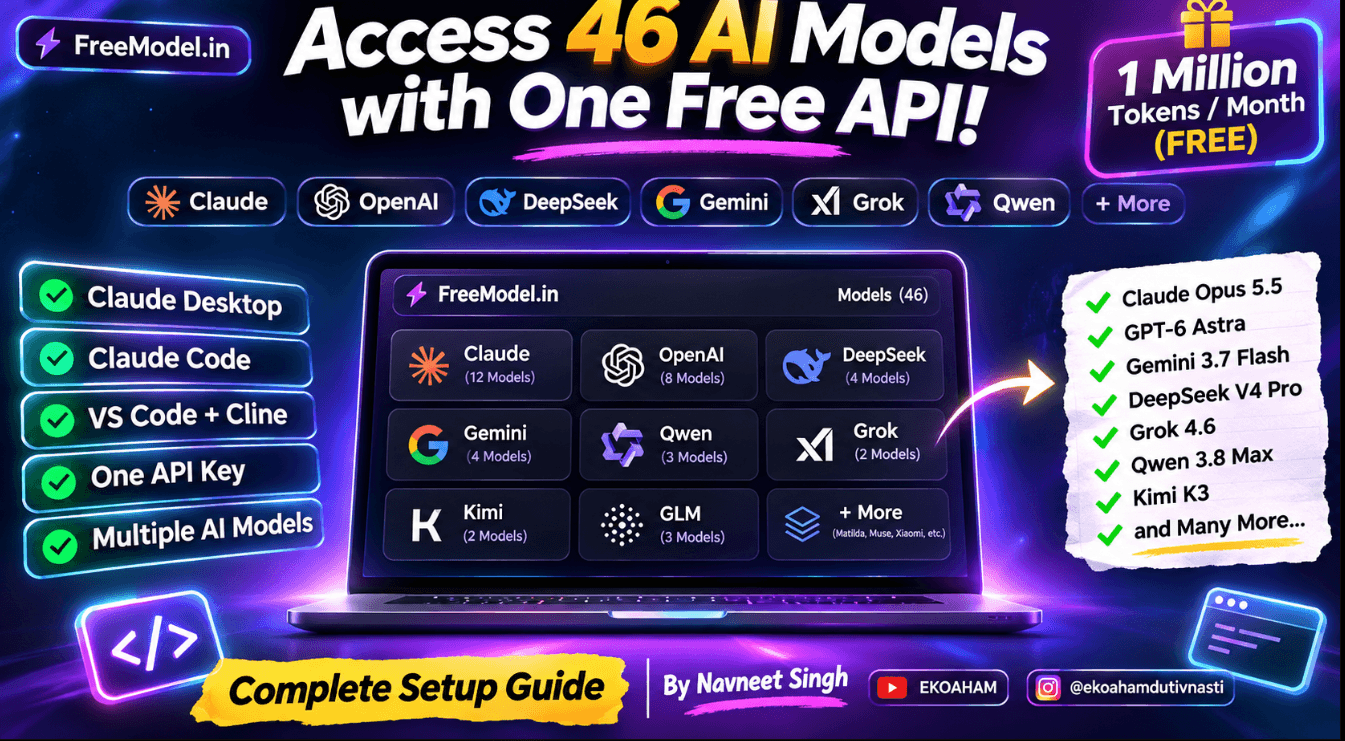
GET CLAUDE CODE FOR FREE
Unlock Claude, GPT-6 Astra, DeepSeek, Gemini, Grok, Qwen and More – All Through FreeModel!
What if you could access a huge collection of AI models using just ONE API key?
Imagine connecting Claude Opus, Claude Sonnet, GPT-6 Astra, DeepSeek, Gemini, Grok, Kimi, Qwen and many more AI models to your favourite development tools.
You can experiment with these models through one unified API endpoint using FreeModel.
Even better, FreeModel offers a free plan with 1 MILLION TOKENS EVERY MONTH, without requiring a credit card!
Let’s set everything up. 🔥
🛠️ STEP 1 – Create Your FreeModel Account
First, visit:
- Open the website.
- Click Get Started or Sign Up.
- Create your account.
- Log in to your dashboard.
Generate Your API Key
After logging in:
- Navigate to API Keys.
- Click Create API Key.
- Generate your API key.
- Copy and securely save it.
Your API key is ready!
Your universal API endpoint:
https://freemodel.in/v1This is the endpoint you’ll use to connect your AI applications.
🤖 STEP 2 – Connect ALL Claude Models to Claude Desktop
This is where things get interesting!
You can configure Claude Desktop to use FreeModel’s third-party inference gateway.
1. Download Claude Desktop
Visit the official download page:
Download and install Claude Desktop on Windows or macOS.
2. Enable Developer Mode
- Open Claude Desktop.
- Navigate to Help → Troubleshooting.
- Click Enable Developer Mode.
- Allow the application to restart.
3. Configure Third-Party Inference
After restarting:
- Open the Developer menu.
- Select Configure Third-Party Inference.
- Open the Connection section.
- Select Gateway as the inference provider.
4. Enter Your Gateway Credentials
Enter the following configuration:
| Setting | Configuration |
|---|---|
| Inference Provider | Gateway |
| Gateway Base URL | https://freemodel.in/v1 |
| Credential Kind | Static API Key |
| Gateway API Key | Your FreeModel API key |
| Gateway Auth Scheme | Bearer |
5. Add ALL Claude Models
Now open the Models section.
You’ll need to create the models individually.
Important: The first field is the model’s display name, and the second field is its exact Model ID.
Copy the following configurations:
| First Field – Model Name | Second Field – Model ID |
|---|---|
| Claude Sonnet 5.5 | claude-sonnet-5-5 |
| Claude Opus 4.6 | claude-opus-4.6 |
| Claude Opus 4.7 | claude-opus-4.7 |
| Claude Opus 4.8 | claude-opus-4.8 |
| Claude Opus 5 | claude-opus-5 |
| Claude Opus 4.5 | claude-opus-4-5 |
| Claude Opus 5.5 | claude-opus-5-5 |
| Claude Fable 5 | claude-fable-5 |
| Claude Fable 5.1 | claude-fable-5-1 |
| Claude Haiku 5.5 | claude-haiku-5.5 |
| Claude Sonnet 5 | claude-sonnet-5 |
| Claude Mythos Preview | claude-mythos-preview |
Add each model one by one and press Save.
Once you’ve added the models, apply your configuration and restart Claude Desktop.
🎉 That’s it! Your Claude Desktop configuration now contains the complete Claude model list from this guide.
You can select different configured models and experiment with their capabilities.
💻 STEP 3 – Connect FreeModel to Claude Code
Want to use powerful AI models directly inside your terminal for coding, debugging, website development, and building applications?
You can connect FreeModel to Claude Code too!
1. Install Claude Code
Follow the official installation guide:
https://code.claude.com/docs/en/overview
2. Configure FreeModel
Open PowerShell and execute:
$env:ANTHROPIC_BASE_URL = "https://freemodel.in/v1"

$env:ANTHROPIC_AUTH_TOKEN = "fm_your_api_key"

$env:ANTHROPIC_MODEL = "claude-opus-4.8"

claude
Replace fm_your_api_key with your actual API key.
You can change the model ID whenever you want to switch models.
For example:
$env:ANTHROPIC_MODEL = "claude-sonnet-5-5"You can use any supported Claude model ID from the catalogue.
Now you’re ready to use Claude Code with FreeModel! 🚀
⚡ STEP 4 – Connect FreeModel to VS Code Using Cline
Want even more flexibility?
You can connect FreeModel to the Cline extension in Visual Studio Code.
Configuration
- Open Visual Studio Code.
- Navigate to Extensions.
- Search for Cline.
- Install and open the extension.
- Open Cline Settings.
- Select API Provider → OpenAI Compatible.
Now enter:
| Setting | Value |
|---|---|
| API Provider | OpenAI Compatible |
| Base URL | https://freemodel.in/v1 |
| API Key | Your FreeModel API key |
| Model ID | Your chosen model ID |
Click Save.
You can also retrieve the available models from the model endpoint and select the model you want to use.
Now you can use models like Claude Opus, GPT-6 Astra, DeepSeek and Gemini directly inside your VS Code workflow!
🌟 STEP 5 – Explore the Complete AI Model Collection
Here comes the best part!
FreeModel’s model catalogue contains models from multiple AI providers.
Below is the complete model-ID collection used in this guide.
🧠 ANTHROPIC – CLAUDE
| Model Name | Model ID |
|---|---|
| Claude Sonnet 5.5 | claude-sonnet-5-5 |
| Claude Opus 4.6 | claude-opus-4.6 |
| Claude Opus 4.7 | claude-opus-4.7 |
| Claude Opus 4.8 | claude-opus-4.8 |
| Claude Opus 5 | claude-opus-5 |
| Claude Opus 4.5 | claude-opus-4-5 |
| Claude Opus 5.5 | claude-opus-5-5 |
| Claude Fable 5 | claude-fable-5 |
| Claude Fable 5.1 | claude-fable-5-1 |
| Claude Haiku 5.5 | claude-haiku-5.5 |
| Claude Sonnet 5 | claude-sonnet-5 |
| Claude Mythos Preview | claude-mythos-preview |
🚀 OPENAI
| Model Name | Model ID |
|---|---|
| GPT-5.6 Terra | gpt-5.6-terra |
| GPT-5.5 | gpt-5.5 |
| GPT-5.5 Pro | gpt-5.5-pro |
| GPT-5.6 Sol | gpt-5.6-sol |
| GPT-6 Astra | gpt-6-astra |
| GPT-6.1 Sol | gpt-6.1-sol |
| GPT-6 Luna | gpt-6-luna |
| GPT-5.6 Luna | gpt-5.6-luna |
🔥 DEEPSEEK
| Model Name | Model ID |
|---|---|
| DeepSeek V4.1 Flash | deepseek-v4.1-flash |
| DeepSeek V4 Flash 0731 | deepseek-v4-flash-0731 |
| DeepSeek V4 Pro Max | deepseek-v4-pro-max |
| DeepSeek V4 Pro 0813 | deepseek-v4-pro-0813 |
| Model Name | Model ID |
|---|---|
| Gemini 3.7 Flash | gemini-3.7-flash |
| Gemini 3.6 Flash | gemini-3.6-flash |
| Gemini 3.1 Pro | gemini-3.1-pro |
| Gemma 2 2B | gemma-2-2b |
🌏 ALIBABA
| Model Name | Model ID |
|---|---|
| Qwen 3.8 27B | qwen3.8-27b |
| Qwen 3.7 Max | qwen3.7-max |
| Qwen 3.8 Max | qwen3.8-max |
⚡ BYTEDANCE
| Model Name | Model ID |
|---|---|
| Seed 2.1 Turbo | seed-2.1-turbo |
| Seed 2.1 Pro | seed-2.1-pro |
🧩 ZHIPU
| Model Name | Model ID |
|---|---|
| GLM-5.3 Flash | glm-5.3-flash |
| GLM 5.2 | glm-5.2 |
| GLM 5.3 | glm-5.3 |
🦾 XAI
| Model Name | Model ID |
|---|---|
| Grok 4.6 | grok-4.6 |
| Grok 4.5 | grok-4.5 |
🌙 MOONSHOT
| Model Name | Model ID |
|---|---|
| Kimi K3 | kimi-k3 |
| Kimi K2.6 | kimi-k2.6 |
📱 XIAOMI
| Model Name | Model ID |
|---|---|
| MiMo V2.6 Flash | mimo-v2.6-flash |
| MiMo V2.6 Pro | mimo-v2.6-pro |
🎨 MUSE
| Model Name | Model ID |
|---|---|
| Muse Spark 1.1 | muse-spark-1.1 |
🌐 OTHER MODELS
| Model Name | Model ID |
|---|---|
| Matilda Cerulean I | matilda-cerulean-i |
| Matilda Flashflight I | matilda-flashflight-i |
| Codex Auto Review | codex-auto-review |
🎁 STEP 6 – Try the FreeModel Playground
Don’t want to configure anything?
You can experiment directly through the FreeModel website.
Visit:
Open the Playground, select a model, enter your prompt and start experimenting.
What do you get with the Free Plan?
- 🎁 1 million tokens every month.
- 🚀 Access to the model catalogue.
- 💳 No credit card required.
- ⚡ Up to 60 requests per minute.
- 🔄 Monthly token allowance reset.
- 🧠 Support for reasoning, streaming and tool calling.
Your token allowance includes both input and output tokens.
For developers who need more capacity, paid plans are also available.
🔥 WHAT CAN YOU BUILD WITH THIS?
The possibilities are exciting!
Imagine using these models to:
- Build AI-powered websites and applications.
- Develop advanced coding agents.
- Debug complex programming projects.
- Create personal AI assistants.
- Experiment with different reasoning models.
- Build AI automation workflows.
- Integrate AI into your existing software.
- Compare different models for the same task.
One API key, one endpoint, and an entire collection of models to experiment with.
🚀 FINAL WORDS
AI development is becoming more accessible every day.
You don’t need to integrate a completely different API for every model. With a unified gateway, you can experiment with different providers, switch models and connect your preferred development tools.
Whether you’re building your next startup, developing an AI assistant, creating websites or simply exploring the latest AI technology, FreeModel is worth checking out.
Stop waiting. Start building. Explore AI without limits to your imagination! 🔥
👨💻 Article By Navneet Singh
Founder – EKOAHAM
📸 Instagram: @ekoahamdutivnasti
▶️ YouTube: EKOAHAM
Follow for more AI discoveries, technology tutorials, development guides and exciting experiments.
EKOAHAM – Exploring the Future of Technology. 🚀